
Managing faculty
Go to the Faculty screen
Section titled “Go to the Faculty screen”- Go to the Settings page. If you’re using a mobile device, you may need to access this page by first tapping (menu).
- Under People, tap Faculty.
The list of faculty appears.
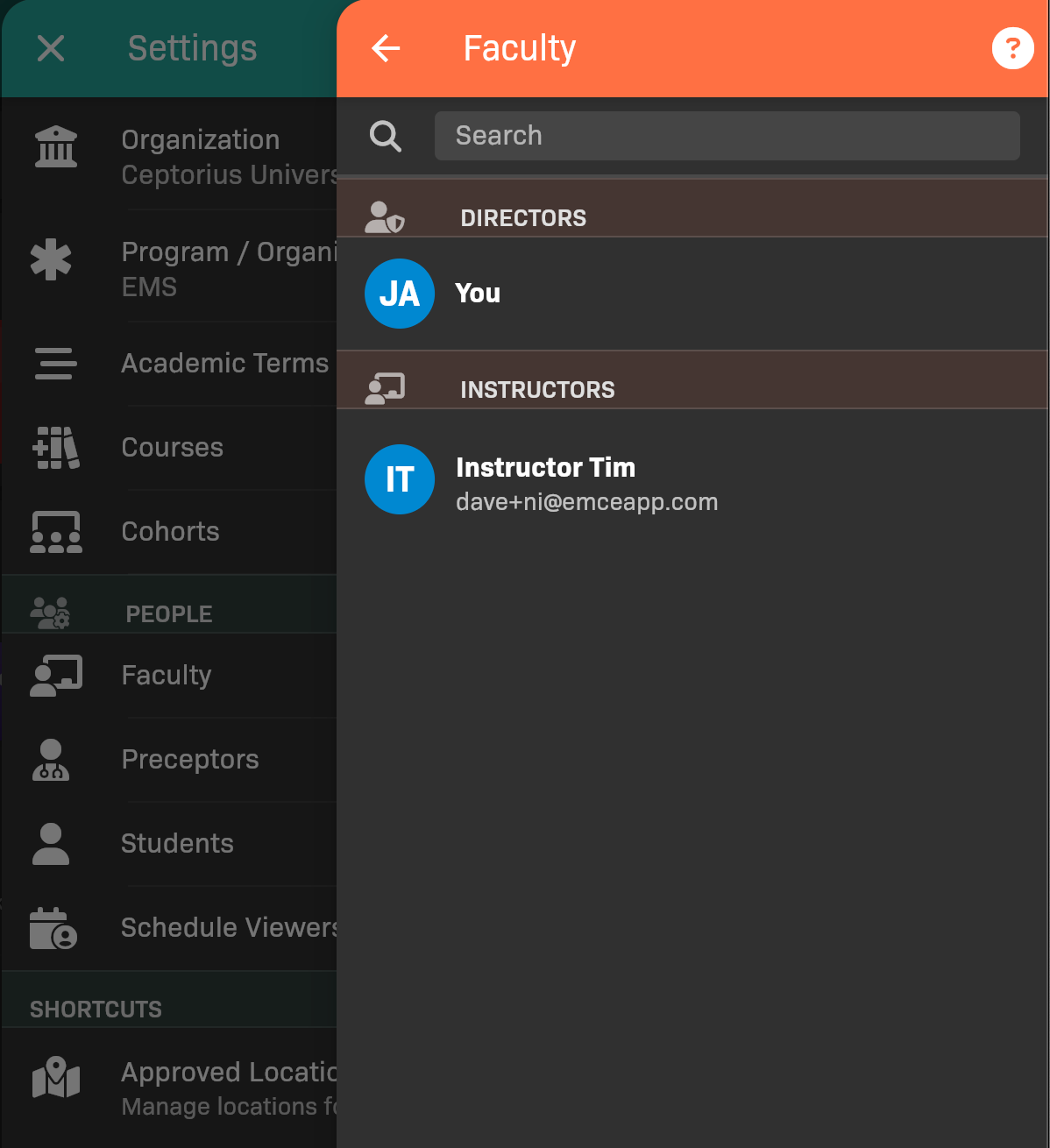
List of Faculty
Update a faculty member
Section titled “Update a faculty member”Tap on a faculty member to:
- Deactivate/activate their account
- Select which cohorts they belong to
- Set their permissions
- Give them Scheduler / Clinical Coordinator responsibilities
- Configure response responsibilities, including Responds to Resubmitted and Automatically Submitted Evals
- (Instructors only) Convert them to an Admin
- Send them a password reset link
- Send them a sign in with email link
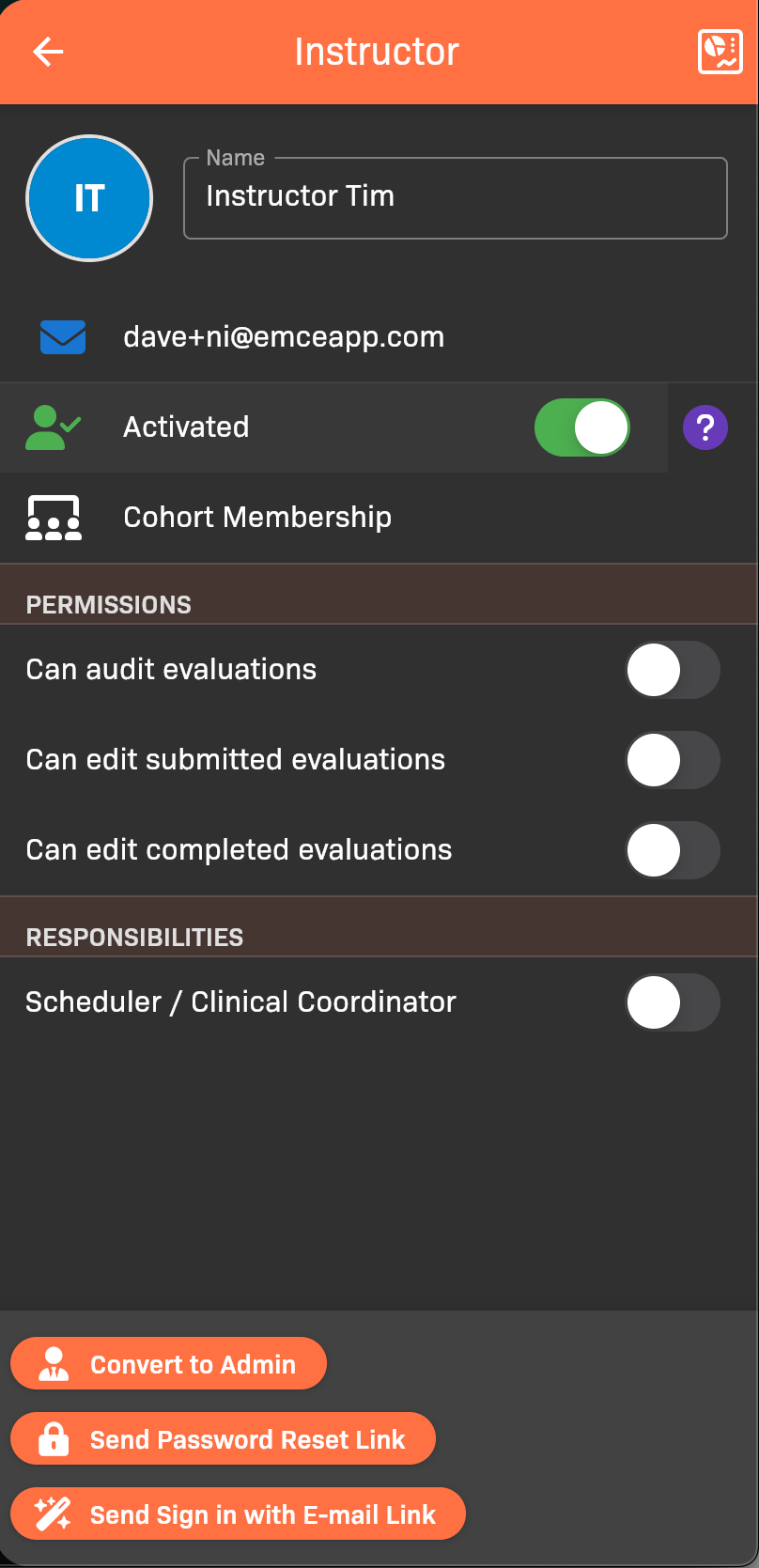
Instructor details

Faculty responsibility for resubmitted and automatically submitted evaluations